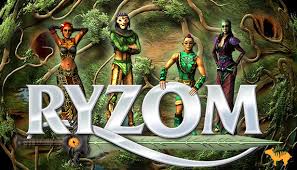
Ryzom is a massively multiplayer online role-playing game title for Windows in our free PC games library. Ryzom features open world gameplay. Instead of character classes, it has a unique system for character abilities that allows players to construct custom acti... Below you’ll find clear installation steps, system requirements, a practical security note, license information, suggested internal links, and FAQs.
Category: Massively multiplayer online role-playing game
Ryzom features open world gameplay. Instead of character classes, it has a unique system for character abilities that allows players to construct custom actions like spells or attacks in detail. The game world is complex modeled, incorporating realistic effects like changing weather and seasons.
Practical steps for most PC downloads. If the developer’s readme or installer says something different, follow the official instructions first.
Requirements depend on your device and settings. Use the minimum row as a baseline and aim for recommended for smoother performance.
Downloads may be served from this site or linked from an official developer or store page when we provide that link. Treat any download like any other file from the web: keep your operating system and security software up to date, and only run files you intended to install.
Before you run an installer or unpack an archive, check that the file name and size match what you expect. Unexpected extra executables or a misleading name are reasons to stop and verify the source.
If a link here is broken or looks wrong, you can contact us. We cannot guarantee third-party builds, but we aim to keep listings accurate.
License type on file: See license. This is a short label from the catalog—not legal advice. Read the full license text when you redistribute, stream commercially, or modify the game.
Downloadable license files for this game:
A quick, practical checklist for getting started with Ryzom. This section avoids guessing gameplay specifics; it focuses on safe steps you can apply to most PC games.
Start by reading the description and watching the gameplay video on this page. If a download is available, use the Downloads section and keep the license/source links for reference.
After installing Ryzom, open the settings menu first: set your language, graphics, and audio. On Windows, lowering shadows and post-processing is usually the fastest way to improve performance.
If you’re new to Massively multiplayer online role-playing game games, take a few minutes to learn the controls and objectives. Most games reward small experiments early on—try different modes, difficulty options, or tutorials if available.
Gameplay video for Ryzom: watch the first moments here to judge pacing and performance on your PC—then scroll to downloads or system requirements if you need more detail.
Copy is generated for Ryzom in English. Pick one title, keep promises modest, and paste the description + pinned comment when you upload. Background doc.
Low promise, high satisfaction: each line is capped near YouTube’s title limit. Choose the one that best matches your actual footage.
Use large, high-contrast type; one primary phrase per thumbnail.
0:00–0:10 — Open on your strongest frame. Say: "This is Ryzom on PC—it’s listed as free on Tuna Ram Games, and here’s a straight look at how it starts."
0:10–0:20 — Set expectations: "I’m staying in the opening/tutorial area—no late-game spoilers. Next I’ll show menus or settings, then one real gameplay beat."
0:20–0:30 — Proof + CTA: "If you’re comparing games before install, this clip is for you—system requirements, license, and downloads are on the page linked in the description."
Ryzom — free PC gameplay / first look (search-friendly). Watch before you install: opening gameplay, menus when they help, and what the first minutes feel like. Game page (system requirements, license, downloads): https://tuna-ram-games.com/games/ryzom Chapters / timestamps: add them in the description or the first pinned reply. Independent gameplay capture for research—not affiliated with the developer unless you state otherwise. Read the license on the game page before reusing footage commercially.
#FreePCGames #PCGaming #IndieGame #Gameplay #FreeToPlay #PCGame #Ryzom
Game page (downloads, license, system requirements): https://tuna-ram-games.com/games/ryzom What should we cover next—multiplayer, late game, or low-end PC settings? Reply in one line.
More titles from the same library (internal links). If you came here from search, these are usually the fastest way to find alternatives in the same category.
Ryzom features open world gameplay. Instead of character classes, it has a unique system for character abilities that allows players to construct custom acti...
Extra context to reduce “thin content” on game pages and to make the page more useful for users who land here from search.
Ryzom is listed in the library as a free-to-download title. This page is designed to be a single place where you can find a short overview, gameplay media, download links (when available), and the licensing/source references that matter for open-license and freeware games.
Because it’s categorized under Massively multiplayer online role-playing game, you can also browse similar games by opening the category badge on the page. Category browsing is useful when you want alternatives with a similar pace, camera style, or gameplay loop.
When a download is offered, it’s listed in the Downloads section. If there are multiple files (for example different builds or archives), choose the one that matches your operating system and keep the filename for troubleshooting. If downloads are not shown yet, the entry may still be in the process of being completed with official links.
Licensing matters. If license files are included, they appear in the License section. For open-source projects, the Source section can include a repository link and/or a source text file. Keeping these links visible helps both users and search engines understand that the page is about a game product, not a generic blog post.
System requirements are shown when provided by the game entry. If they aren’t listed yet, you can still start by using conservative graphics settings and increasing quality step by step.
Platform note: this entry is primarily tagged for Windows. If you use a different OS, check the Source section (some open-source games provide cross-platform builds) or browse other games in the same category.
If you enjoy Ryzom, explore the Related Games section for internal links to similar titles. Internal navigation helps you discover alternatives quickly and helps search engines understand game-to-game relationships within a category.
For search visitors: the goal of this library is to collect free PC games with clear metadata, stable URLs, and direct links to licenses and sources whenever possible. That makes each game page more than a short snippet.
Looking for more Massively multiplayer online role-playing game options? Browse the category page and open a few candidates in new tabs, then compare platform tags, requirements, and the availability of downloads and source references.
Security note: download files only from the links provided on this page. If multiple files are available, prefer the latest version and keep the license text for attribution/redistribution rules.
If the gameplay video is missing, it usually means the entry is incomplete. You can still use the Source section (when present) to find official media or community hubs.
Tip for performance: if the game feels slow, lower resolution and post-processing first. If you have a low-spec device, choose windowed mode and reduce shadow quality to improve frame rate quickly.
Extended note for visitors: Ryzom is presented here as a dedicated game detail page rather than a short index listing. The page structure is intentional: a clear overview, media, downloads, requirements, screenshots (when available), and internal links to similar titles. If you landed here from Google, you can use these sections like a checklist. Start with the description to understand the premise, then watch the gameplay video to confirm the pace and UI, and finally decide whether to download or to browse alternatives. For Windows users, the practical flow is: check the system requirements if they’re provided, then install, run once, and adjust settings before you commit time. For games in Massively multiplayer online role-playing game, a small amount of early experimentation usually reveals whether the gameplay loop matches your taste (difficulty, session length, and the type of decisions you make minute-to-minute). Licensing is shown as See license. Tags can provide extra clues about mechanics and themes (Free,PC,Massively multiplayer online role-playing game). If downloads are not yet available, this does not necessarily mean the game is unavailable—some entries are added first for discovery and are later completed with official binaries and license/source references. In the meantime, internal links to similar games help keep the browsing session productive: open 3–5 related titles, compare their platform and media availability, and pick the one that best matches what you want to play today. Finally, keep in mind that search engines evaluate usefulness at the page level. Adding explicit sections (what the game is, how to get started, features, requirements, media, and alternatives) helps reduce the ‘thin content’ pattern where a page is only a title plus a short description. This is why the page contains both structured data and real human-readable content: it’s meant to serve players first, and to be understood correctly by crawlers.
Curated links inside this site—helpful for readers deciding what to open next and for clear internal linking.
Where can I read the license? Open the License information section on this page for the catalog label (when available) and any downloadable license files. Read the full text before you redistribute, stream commercially, or reuse assets. When a repository or source block is listed, the Source section is usually the authoritative notice for open-source titles.
I don’t see a download—what now? Some entries only have media or references at first. Check back later, use the Source section, or browse other games in the same category while downloads are being added.
How do I find similar games? Use Similar games below, the sidebar, or the category link in Suggested internal links when it appears.
Where should I go next on this site? Use Suggested internal links for shortcuts to the catalog, Discover, FAQ, topic pages, and anchors back to requirements on this page.
Where are installation and security guidance? See Installation steps and the Security note on this page.
Is there gameplay video on this page? Yes—use the Gameplay Video section to watch on-page footage before you download.
See Suggested internal links for catalog-wide routes and FAQ for quick answers.